
Live on iPhone and Android
Your tour. Your group.
One app.
Live guiding and group management for tours.
Itinerary, live map, roll call and SOS in a single app. The guide creates the group; guests join with an invite code.
How it works
Three steps and the whole group is on the same screen.
The guide creates the group
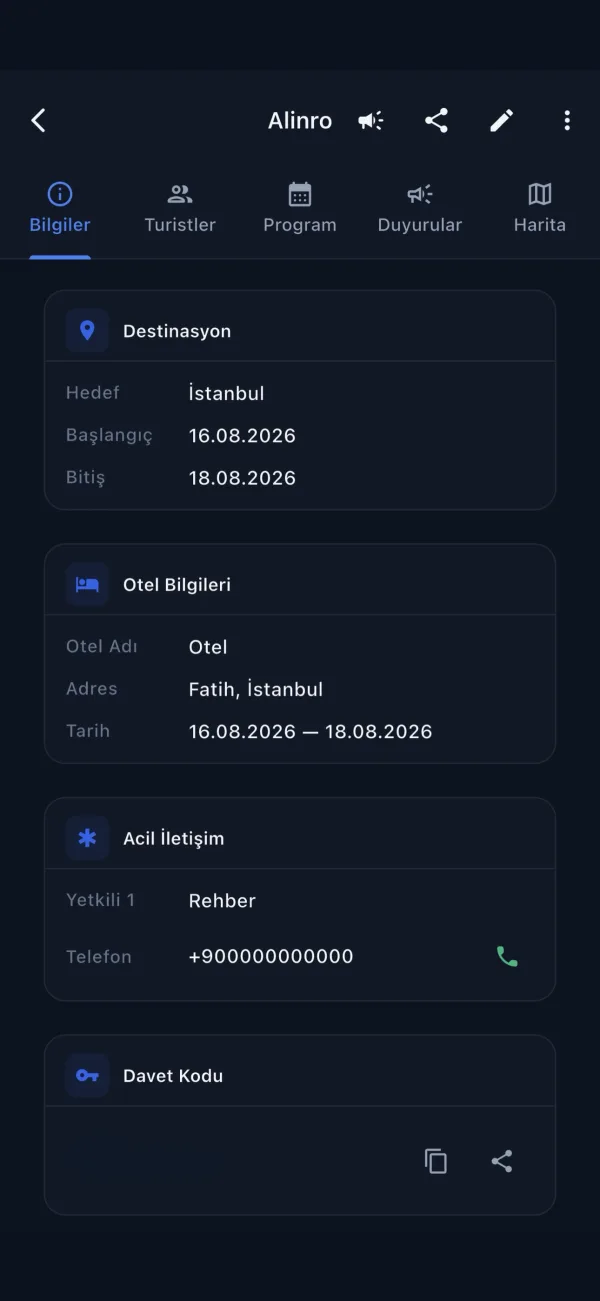
Name the tour, set the dates, write the itinerary day by day.
Guests join with an invite code
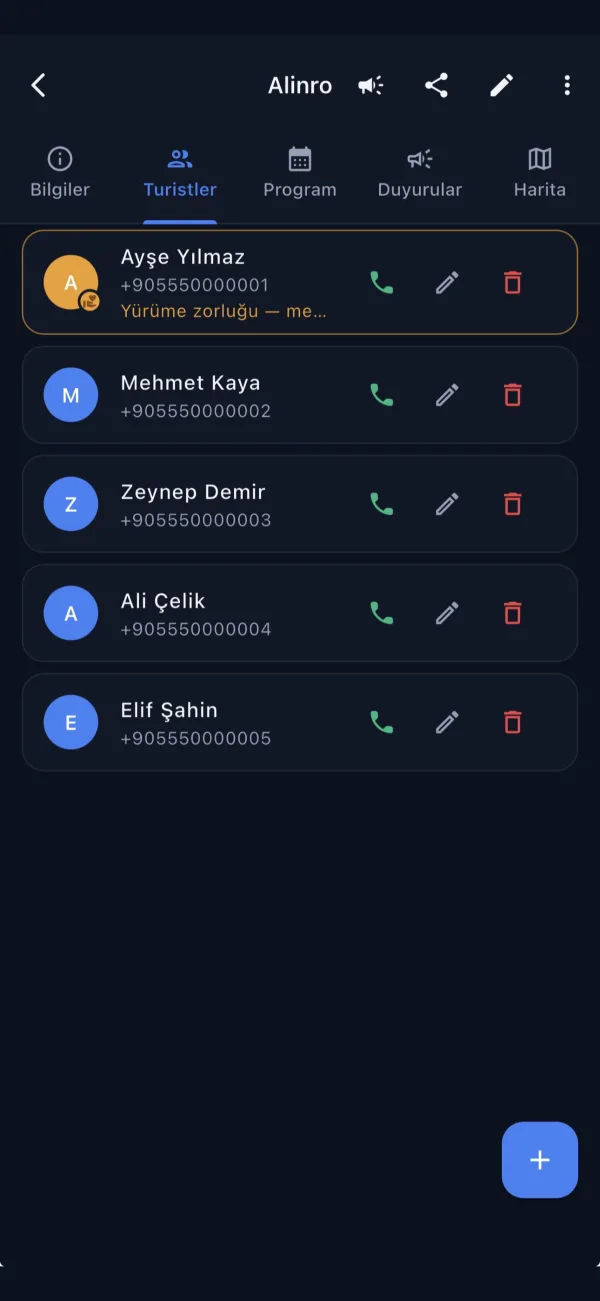
Share the code; a guest joins in seconds with their phone number.
Everyone stays on the same screen
Itinerary, location, roll call and SOS all run in one app.
For guides
Everything you need to run the group.
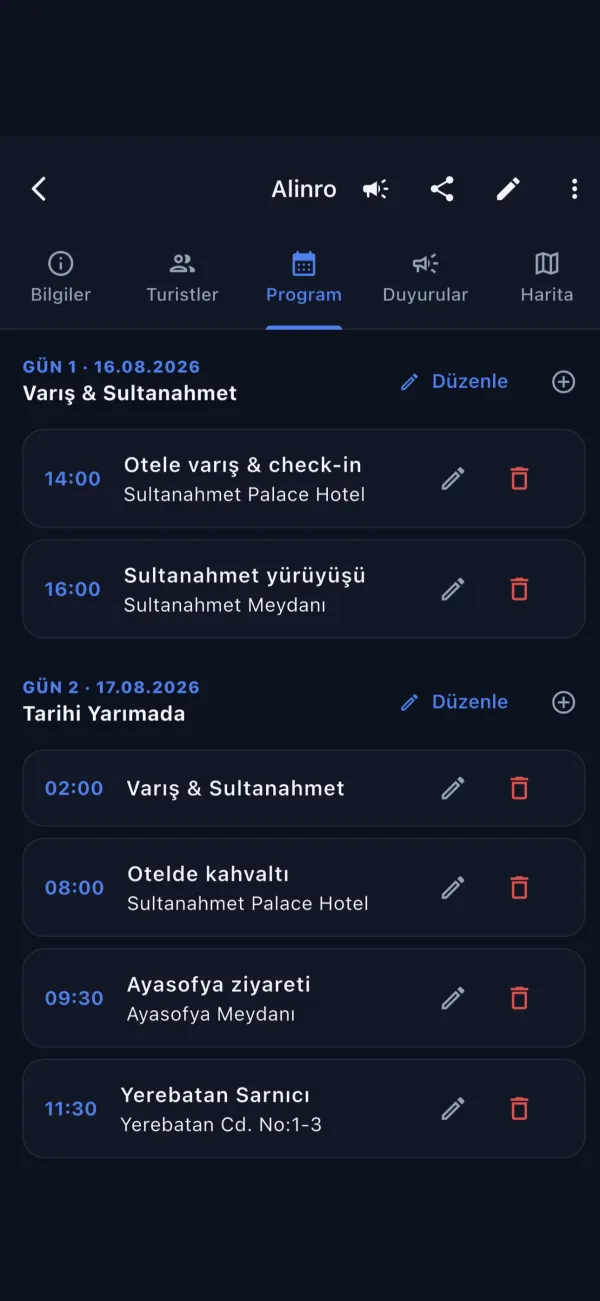
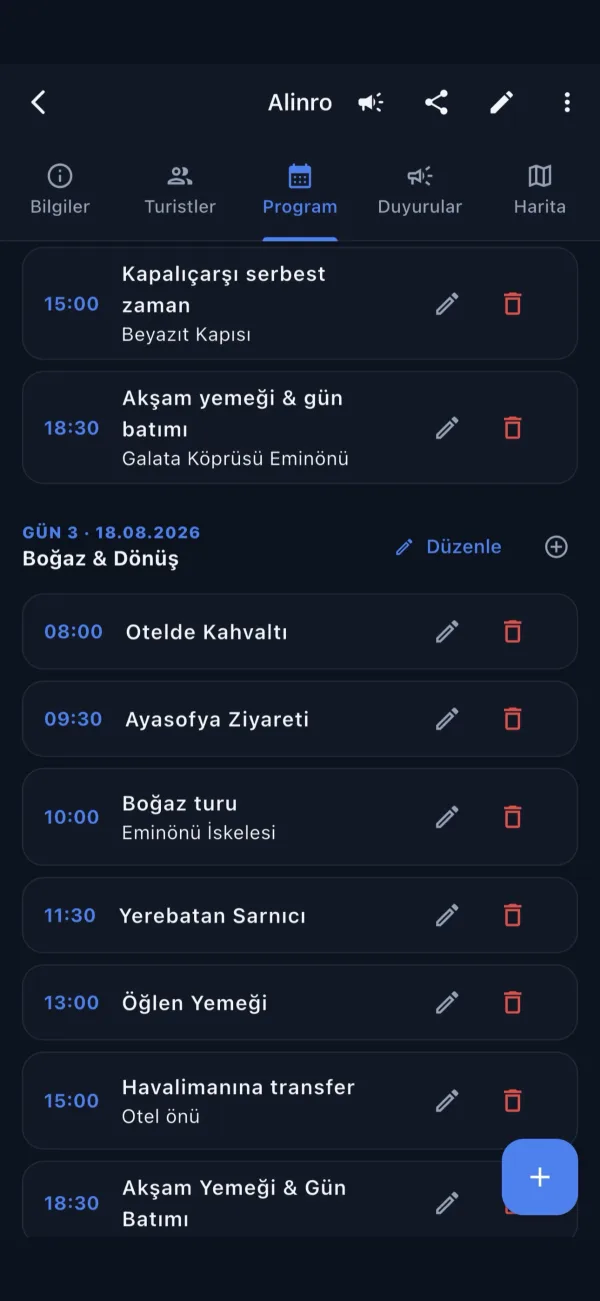
Itinerary and schedule
Write the daily plan; the whole group sees the current version instantly.
Roll call
Start a roll call and guests confirm “I’m here” with one tap.
Live map
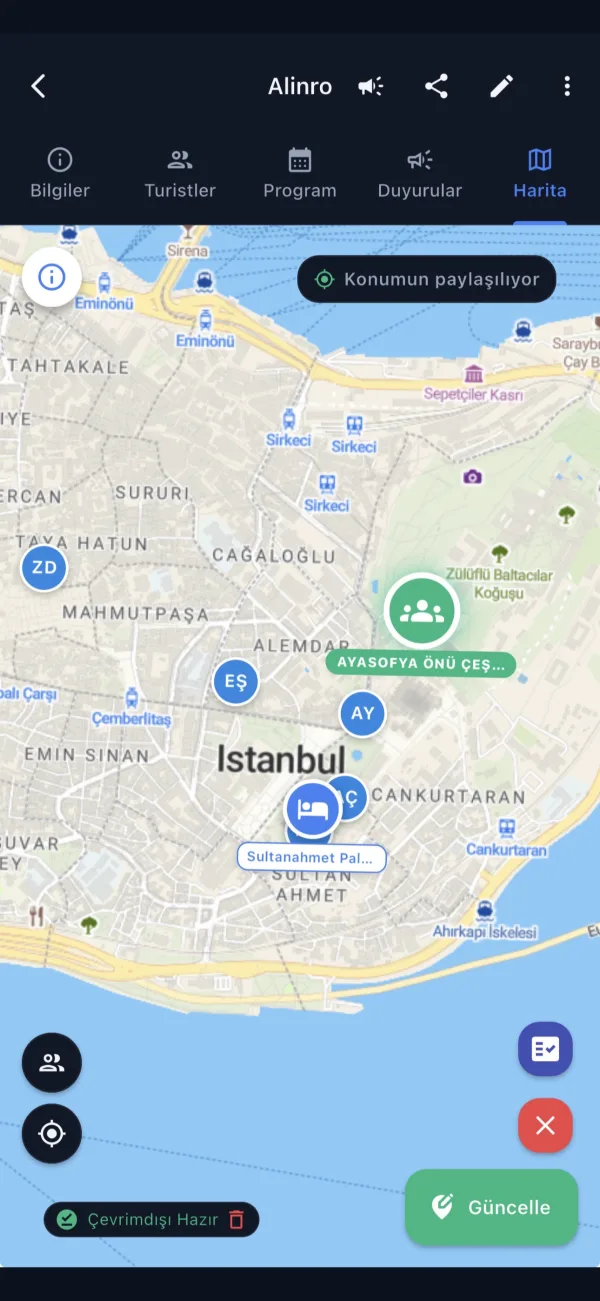
See guest locations and multiple hotels on a single map.
SOS alerts
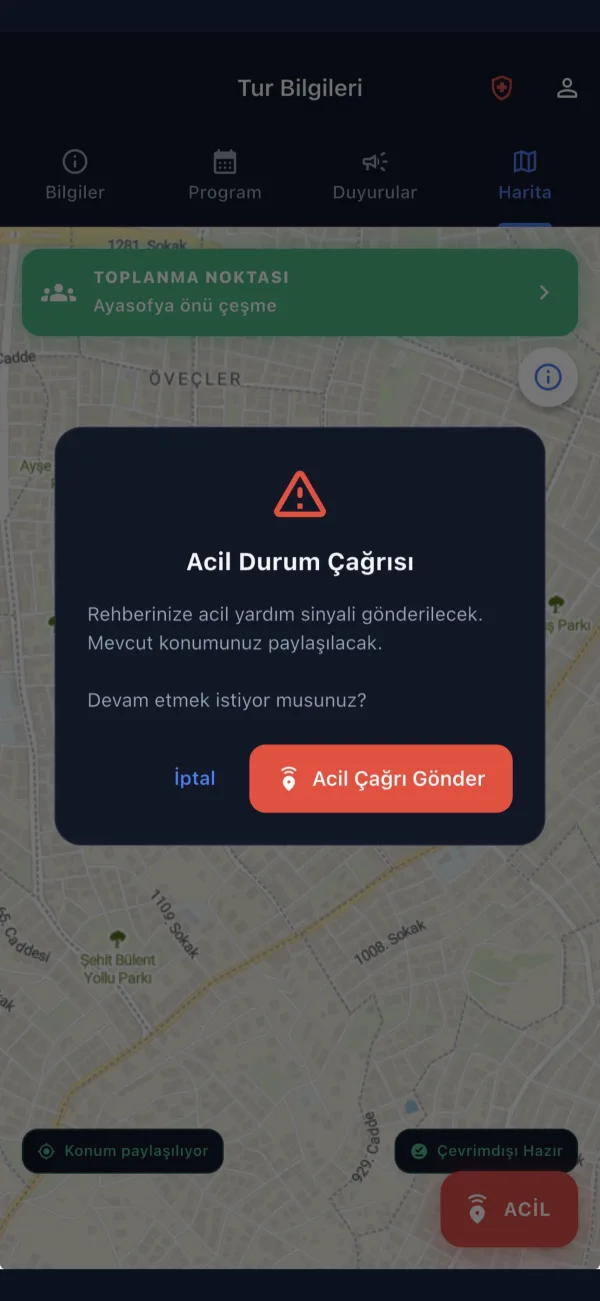
When a guest sends an SOS you are notified instantly, with their location.
Invite-code membership
Only people with the code can join; you manage the list.
Emergency contacts and meeting points
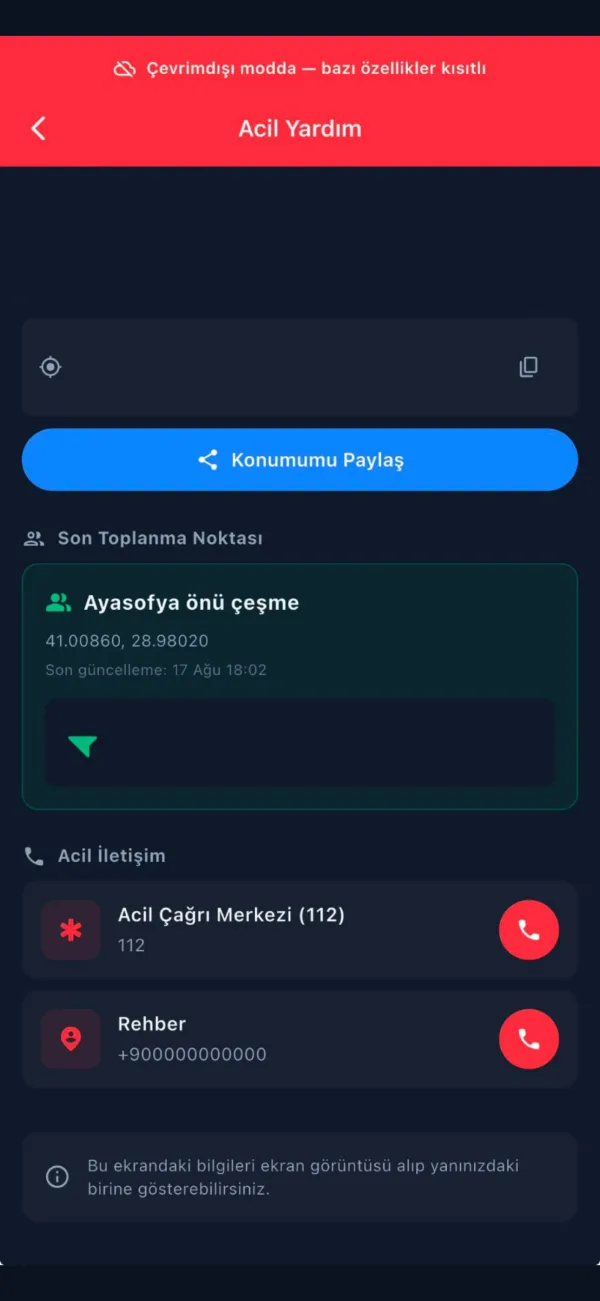
Set meeting points and emergency contacts for each tour in advance.
For guests
An invite code is enough. No setup, nothing to learn.
The itinerary in your pocketWhen the guide updates the plan, everyone sees it right away.
The guide’s location on the mapLost the group? See exactly where the guide is.
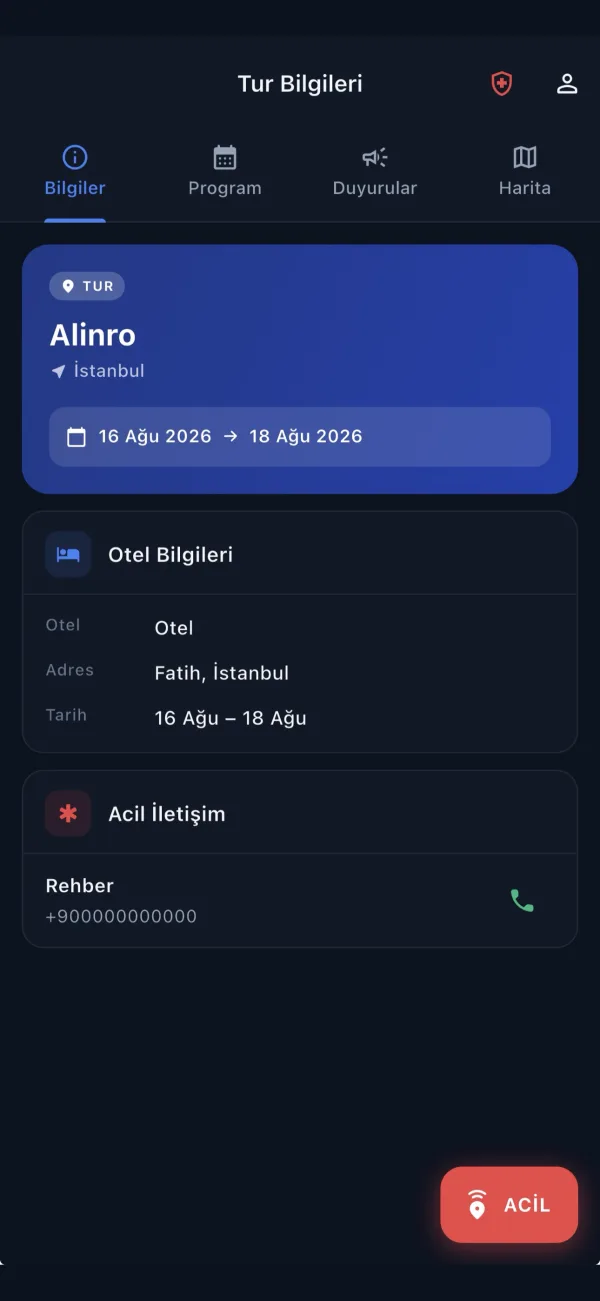
One-tap SOS and emergency callIn an emergency the guide gets a signal with your location.
Emergency info even in airplane modeMeeting point and emergency numbers open offline.
Inside the app
Scroll sideways.
Privacy
Guests cannot see each other
Location sharing is never open to the whole group. Alinro shares location only with the guide, and only for the duration of the tour.
- With the guide only. A guest’s location is never shown to other guests.
- For the tour only. No location is shared when the app is closed or the tour is over.
- Deleted when the tour ends. Location records are removed once the tour is complete.
Frequently asked questions
Is it paid?
It is free right now. Guides and guests use every feature at no cost.
Do guests need to create an account?
A guest signs in with their phone number and joins the group using the invite code from the guide. There is no separate sign-up form.
Am I tracked all the time?
No. Location is shared only while the app is open and only during the tour. Guests cannot see each other’s location; only the guide can see it.
What if there is no internet?
The emergency screen works offline. Meeting point, emergency contacts and the emergency number open in airplane mode too.
Which devices are supported?
iPhone via the App Store, Android via Google Play.
How do I delete my data?
You can request account and data deletion at allinroute.com/delete-account.

Download Alinro
Free on iPhone and Android.
Are you a guide? For questions, write to support@allinroute.com